Samsung Galaxy S27 AI Features Nobody Is Talking About (2026)

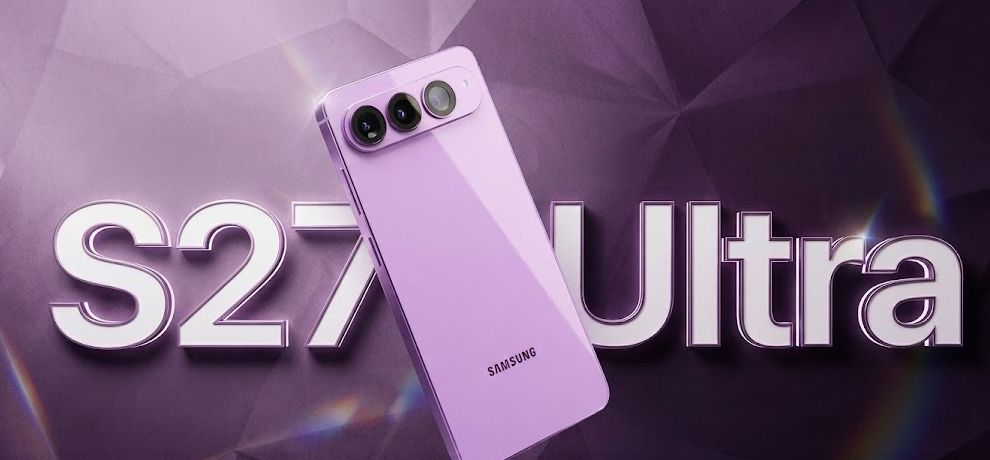
Samsung Galaxy S27 AI Features Nobody Is Talking About
When Samsung launched the Galaxy S27 series, most headlines focused on the camera, processor, and display. Those are important upgrades, but they aren't what make the phone feel different in everyday use.
The real story is the evolution of Galaxy AI.
Instead of adding a few AI-powered editing tools, Samsung has transformed the phone into a context-aware assistant that understands what you're doing, predicts what you need next, and helps you complete tasks across multiple apps.
Many of these capabilities received little attention during launch events and reviews, yet they are the features that users will interact with daily.
Here's a closer look at the Samsung Galaxy S27 AI features that deserve far more attention.
1. Galaxy AI Is Becoming an Assistant, Not Just a Feature
Previous generations of AI on smartphones worked like tools.
You asked a question.
The phone answered.
The Galaxy S27 introduces a more intelligent workflow.
Instead of asking:
"Open Maps"
You can say:
"Find a good Italian restaurant nearby, reserve a table for tonight, add it to my calendar, and send the address to my friend."
The AI understands the complete objective instead of individual commands.
This shift from command-based interactions to goal-oriented assistance is one of Samsung's biggest AI improvements.
Youtube : https://www.youtube.com/@TechTalkTV
2. Your Phone Finally Understands What's on the Screen
One of the most underrated upgrades is contextual screen understanding.
Imagine reading:
research papers
financial reports
coding documentation
product specifications
long blog articles
Instead of copying text into another AI application, Galaxy AI understands the current screen.
You can simply ask:
Summarize this
Explain this chart
What does this paragraph mean?
Translate this page
Compare these products
The experience feels significantly more natural than switching between applications.
3. AI Can Complete Multi-Step Tasks
Traditional voice assistants struggled because every request required multiple commands.
Galaxy AI now connects different apps into a single workflow.
For example:
"I'll arrive in Mumbai tomorrow afternoon."
The AI can automatically:
suggest booking transportation
create a calendar reminder
check weather
recommend nearby hotels
prepare navigation
The user doesn't need to manually coordinate each app.
4. Samsung Is Quietly Building a Personal Research Assistant
Gemini Notebook may become one of the most useful productivity features on the S27.
Students, developers, marketers, writers, and researchers can save information from multiple sources into a single workspace.
Galaxy AI can then:
summarize research
organize notes
create study guides
generate presentations
answer questions using saved content
produce revision material
Instead of opening multiple applications, everything stays organized in one place.
5. AI Suggestions Feel Less Random
Most smartphone suggestions have traditionally been simple reminders.
Galaxy S27 introduces smarter contextual recommendations.
For example:
If someone messages you an address...
Galaxy AI may suggest:
opening Maps
estimating travel time
sharing your live location
scheduling departure reminders
These recommendations are based on context rather than fixed rules.
6. AI-Powered Browsing Saves Time
Samsung Internet Browser now integrates AI directly into browsing.
Instead of opening ChatGPT or another AI service, users can:
summarize webpages
explain difficult topics
compare specifications
simplify technical language
translate articles
generate quick answers
This removes several unnecessary steps during research.
7. Photo Editing Is Becoming More Natural
AI photo editing has improved significantly.
Instead of searching through editing menus, users can describe the desired result.
Examples include:
Remove the tourist behind me.
Make the sky look clearer.
Brighten this image.
Improve nighttime lighting.
Remove unwanted reflections.
This conversational approach makes advanced editing accessible to everyone.
8. Better Privacy Through On-Device AI
One important feature that deserves more attention is where AI processing happens.
Many Galaxy AI functions now run directly on the phone.
Benefits include:
faster response times
improved privacy
reduced internet dependency
lower latency
better battery optimization for supported workloads
Sensitive information doesn't always need to leave the device.
9. Galaxy AI Learns Your Daily Routine
Over time, the system begins recognizing patterns.
Examples include:
Morning
weather
calendar
commute
Work
meeting reminders
documents
note summaries
Evening
exercise suggestions
entertainment recommendations
sleep reminders
Rather than overwhelming users with notifications, the phone attempts to surface relevant information when it's actually useful.
10. AI Makes Communication Easier
Language assistance continues to improve.
Galaxy AI now helps with:
live translation
call translation
message rewriting
grammar correction
professional email generation
summarizing conversations
This is especially valuable for professionals working across different countries.
11. Developers and Professionals Benefit Too
While Samsung markets Galaxy AI toward everyday users, professionals gain equally valuable improvements.
Developers can:
summarize documentation
explain code snippets
compare APIs
organize research
Business users can:
prepare meeting notes
rewrite presentations
generate summaries
organize project information
Students can:
create flashcards
simplify textbooks
summarize lectures
generate quizzes
The versatility of Galaxy AI makes it useful across multiple professions.
12. This Is Only the Beginning
Samsung appears to be moving toward an AI-first operating system.
Instead of isolated AI tools, future Galaxy devices will likely feature:
deeper app integration
smarter automation
personalized workflows
proactive recommendations
enhanced multimodal understanding
The S27 is less about adding flashy AI effects and more about laying the foundation for how people will interact with smartphones over the next several years.
Tips to Get the Most Out of Galaxy AI
To make the most of the Samsung Galaxy S27 AI features:
Keep One UI updated to the latest version.
Enable Galaxy AI features in Settings.
Connect your Samsung and Google accounts for integrated experiences.
Explore Gemini Notebook for research and organization.
Try natural-language commands instead of rigid voice prompts.
Review privacy settings to understand which AI features run on-device versus in the cloud.
Frequently Asked Questions
Does the Samsung Galaxy S27 use Gemini AI?
Yes. Samsung integrates Google's Gemini alongside Galaxy AI to enable conversational assistance, contextual understanding, and multi-app workflows.
Can Galaxy AI work without the internet?
Some AI features run directly on the device, allowing them to work offline. More advanced generative features may still require an internet connection.
Is Galaxy AI free?
Many core Galaxy AI features are included with supported Samsung devices, though availability may vary by region and future service plans.
What is the biggest AI improvement on the Galaxy S27?
The biggest change is context-aware assistance. Rather than responding to single commands, Galaxy AI can understand broader goals and coordinate actions across multiple apps.
Final Thoughts
The Samsung Galaxy S27 isn't just another smartphone with a handful of AI tricks. It represents a shift toward an operating system where artificial intelligence becomes a practical assistant woven into everyday tasks.
The most valuable upgrades aren't necessarily the ones showcased in advertisements. Features like contextual screen understanding, multi-step task execution, on-device intelligence, smarter browsing, and proactive recommendations have the potential to save time every day.
As AI continues to evolve, the phones that stand out won't simply generate images or rewrite text—they'll anticipate needs, reduce friction, and help users accomplish real work with less effort. The Galaxy S27 is a strong indication that Samsung is moving in that direction.
Also Read : Baidu Unlimited OCR Explained